


What is an FDM printer?
An FDM printer is a type of 3D printer that melts plastic filament and deposits it layer by layer onto a print surface via a print head, or nozzle. Each layer bonds to the previous one and solidifies instantly. This is how the printer builds a three-dimensional object from scratch.
FDM stands for Fused Deposition Modeling, also known as FFF (Fused Filament Fabrication). Both terms describe the exact same process. FDM is the brand name originally registered by Stratasys; FFF is the generic term, though it's rarely used these days.
FDM printers are the most popular category of 3D printers, both for home use and at 3D printing services like PixelPrints. This is due to the combination of affordability, versatility, and the wide range of materials available. It’s simply accessible.
How does an FDM printer work?
The FDM printing process involves a few steps.
Step 1. Preparing a 3D model
Everything starts with a digital 3D model, an STL or 3MF file. You load that model into slicer software. This is a program that cuts the model into hundreds or thousands of thin horizontal layers. The slicer also calculates where supports are needed (because printing in mid-air is quite impractical), what infill to use, and the speed at which the printer moves. The end result is a G-code file. This is the set of instructions that literally tells the printer what to do.
Step 2. Loading and setting up filament
The printer is loaded with a spool of filament. Depending on the material, the printer sets the correct temperatures: the nozzle is heated to 180–280°C and the print bed to 0–110°C, depending on the material. Most slicer software handles these settings for you.
Step 3. Printing
The printer reads the G-code and starts building. The filament is melted in the nozzle and precisely deposited onto the print bed via the nozzle. The nozzle moves horizontally (X and Y axes) while the print bed moves upward (Z axis) after each completed layer. This is how the object grows from the bottom up.
The layer height determines the level of detail. The general standard is 0.20 mm, which provides a good balance between speed and quality. Want more detail? Then choose 0.12 or 0.08 mm, but keep in mind that the print will take two to three times longer.
Step 4. Post-processing
After printing, you remove any supports, which are the temporary support structures for overhanging parts. After that, the print can be used immediately, or you can further refine the surface. This is known as post-processing. It usually involves sanding, painting, or smoothing the print with acetone (for ABS).
Which materials do you use for FDM printing?
One of the major advantages of FDM is the wide range of materials available. These are the most commonly used filaments:
PLA is the most popular and easiest material to use. It is biodegradable, requires a low print temperature, and comes in a wide range of colors. Suitable for decorative objects, models, and prototypes that are not subject to high stress.
PETG combines the printability of PLA with greater strength and moisture resistance. The go-to choice for functional parts.
ASA is UV and weather-resistant. The best choice for parts used outdoors. It retains its properties even with prolonged exposure to sunlight.
ABS is heat-resistant and strong, but prone to warping and produces harmful fumes. It is increasingly being replaced by PETG or ASA.
TPU is a flexible material for soft or rubber-like parts, such as protective cases and gaskets.
Nylon is strong, slightly flexible, and wear-resistant. Ideal for mechanical parts like gears and hinges.
Not sure which material is right for your print? Use our material selection tool.
FDM vs. resin: what's the difference?
Besides FDM, resin (SLA/DLP) is the other common 3D printing technique. They work in fundamentally different ways.
With FDM, you build up using melted plastic filament. Layer by layer, from the bottom up. It's suitable for large objects, functional parts, and a wide range of materials. The surface finish shows visible layer lines unless you apply post-processing.
With resin, liquid resin is cured using UV light. This provides higher detail accuracy and a smoother finish. However, resin is more expensive, post-processing is more intensive, and material options are more limited.
Which one is better depends on the application. For large, strong, or functional objects, FDM is the best choice. For small, detailed objects with high surface quality, such as jewelry or miniatures, resin is the best choice. At PixelPrints, we work with FDM because it offers the best price-to-quality ratio for most consumer and business applications.
Read also: types of 3D printers and their pros and cons.
Advantages of FDM printing
FDM is the most popular 3D printing technique, and for good reason.
The material selection is broad. From affordable PLA to strong nylon and flexible TPU, FDM works with dozens of different filaments, each with its own properties.
Dimensional accuracy is good. Modern FDM printers like the Bambu Lab X1 Carbon, which we use at PixelPrints, achieve tolerances of ±0.1 mm.
Print size is significantly larger with FDM than with resin. At PixelPrints, we can print objects up to 340 × 320 × 340 mm in one go.
Costs are lower than with resin or professional industrial printing methods. Filament is affordable and the printers are energy-efficient.
FDM is an additive process; material is only deposited where it is needed. This means you don't have large amounts of waste like with subtractive manufacturing methods.
Disadvantages of FDM printing
FDM also has limitations you should be aware of.
The surface finish is layered. 0.20 mm layers are visible on the final product. You can fix this with finer layer heights or post-processing (sanding, painting), but it takes time.
Supports are sometimes necessary for floating parts or steep overhangs. Once removed, they remain visible and can sometimes leave a rough spot.
Strength is directional. An FDM print is strongest along the layer direction (X/Y) and slightly weaker perpendicular to it (Z). You need to account for this in your design for critical loads.
Certain complex geometries are difficult or impossible to print with FDM without supports. These limitations are less of an issue with resin or SLS.
What can you make with an FDM printer?
The applications for FDM are broad. Here is a selection of what PixelPrints prints every day:
- Spare parts that are no longer for sale, from broken clips to the missing gear in an old device.
- Functional housings for electronics, sensors, and measuring equipment.
- Prototypes for product development, making an idea tangible quickly and cheaply for validation.
- Scale models and mock-ups for architects, designers, and hobbyists.
- Custom holders, adapters, and tools—things you can't buy off the shelf anywhere.
- Decorative objects, gifts, and personalized items.
Check out our portfolio for concrete examples of FDM prints we have made.
Do you need your own FDM printer?
Not necessarily. A good FDM printer quickly costs between €400 and €1,000+, requires maintenance, and takes time to set up correctly. When buying 3D printers, cheap often ends up being expensive. For people who print frequently and in large volumes, it might be worth it. But for most individuals and small businesses, outsourcing is smarter. You only pay for what you need, get a professional result immediately, and don't have to deal with calibration or print issues.
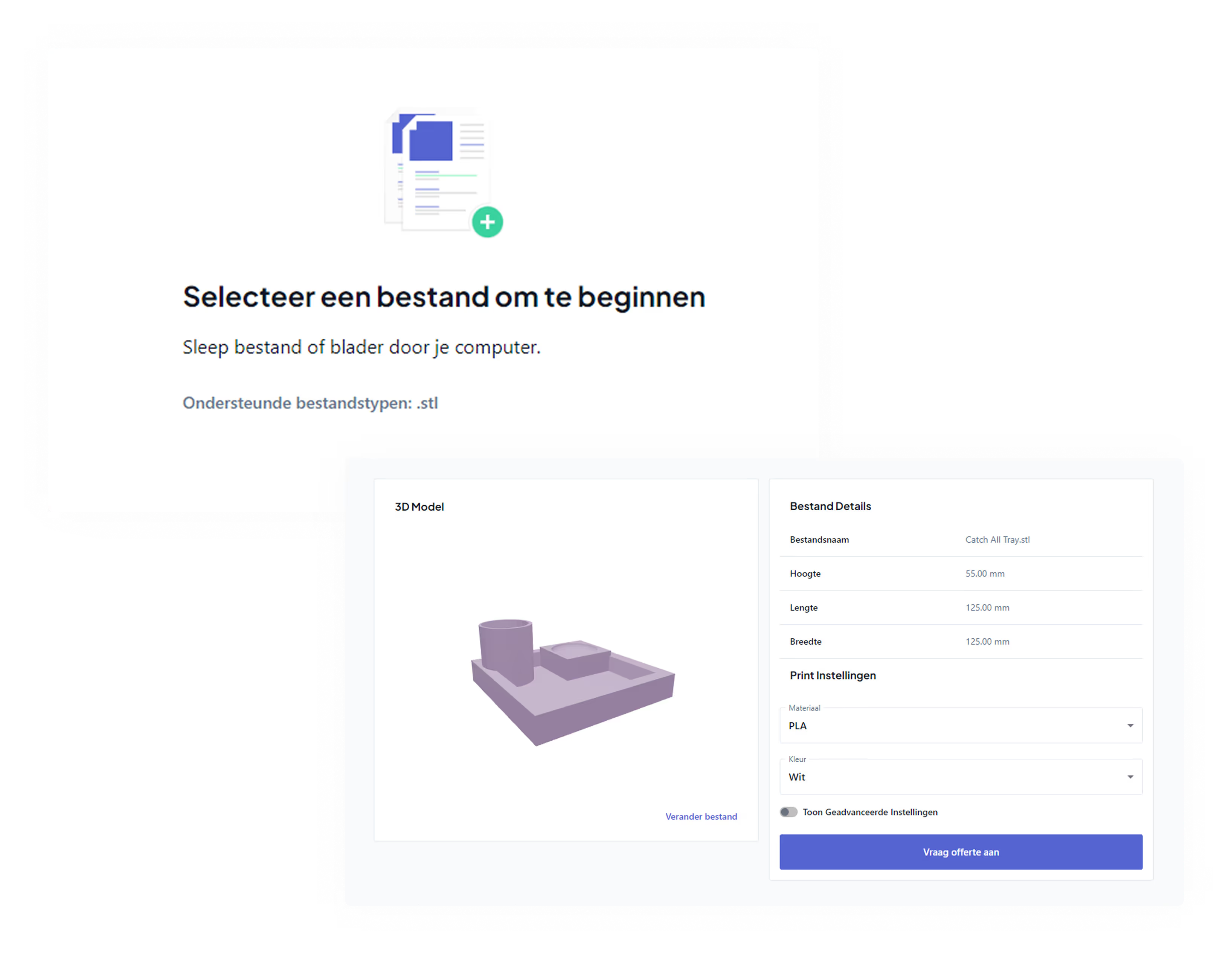
At PixelPrints, you upload your STL file, choose your material and settings, and calculate the price instantly. Your print will be delivered within 5 business days.
Don't have a 3D file yet? No problem, through our 3D modeling service we can design the model for you, starting at €19.97 incl. VAT.
Frequently asked questions about FDM printing
What does FDM mean?
FDM stands for Fused Deposition Modeling. It describes the process where plastic filament is melted and built up layer by layer into a 3D object. FFF (Fused Filament Fabrication) is a synonym.
What is the difference between FDM and SLA?
FDM builds with melted filament; SLA cures liquid resin using a UV laser. FDM is cheaper, offers a wider range of materials, and can create larger objects. SLA provides higher detail accuracy and a smoother finish. Read more in: types of 3D printers and their pros and cons.
Which materials can you use with FDM?
The most commonly used FDM materials are PLA, PETG, ASA, ABS, TPU, and nylon. Each material has its own properties regarding strength, flexibility, temperature resistance, and UV resistance. Use our material selection guide if you're unsure.
How accurate is an FDM printer?
Modern FDM printers achieve tolerances of ±0.1 to ±0.2 mm. Accuracy depends on the printer, the material, and the layer height. For most functional and decorative applications, this is more than sufficient.
How much does FDM 3D printing cost?
That depends on the size, material, and settings. A small print starts at a few euros; larger or complex prints can cost €20–80+. Calculate the price of your print immediately via our 3D print price calculator. More background: how much does 3D printing cost.
Is FDM suitable for functional parts?
Yes, especially with the right material choice. PETG, ASA, and nylon are excellent for functional parts that need to withstand mechanical stress, moisture, or temperature. PLA is less suitable for heavy-duty use.